










Prestige Achievements Revisiones de Taborea: 31 de agosto de 2026
🏆 Prestige Achievements
Prestige Achievements are part of the Prestige System and fully replaced the previous Prestige Daily Quests starting with Season 4. There are 15 main Achievement Categories related to different activities throughout the game. Currently, 7 categories are available, while the remaining categories will be added gradually with future Prestige seasons. Achievement progress is tracked automatically while you complete related activities in the game.
📖 Accessing Prestige Achievements
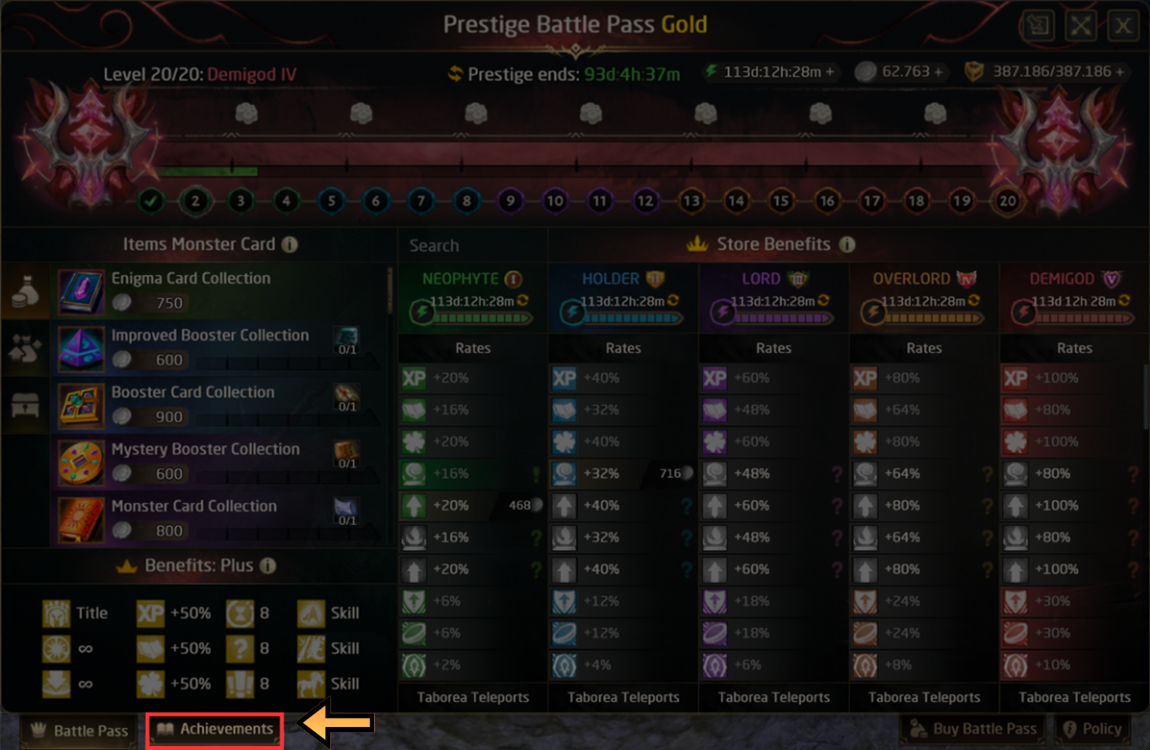
To open the Prestige Achievements page:
- Open the Prestige Window.
- Click the dedicated Achievements tab at the bottom of the window.
🏠 Achievements Main Page
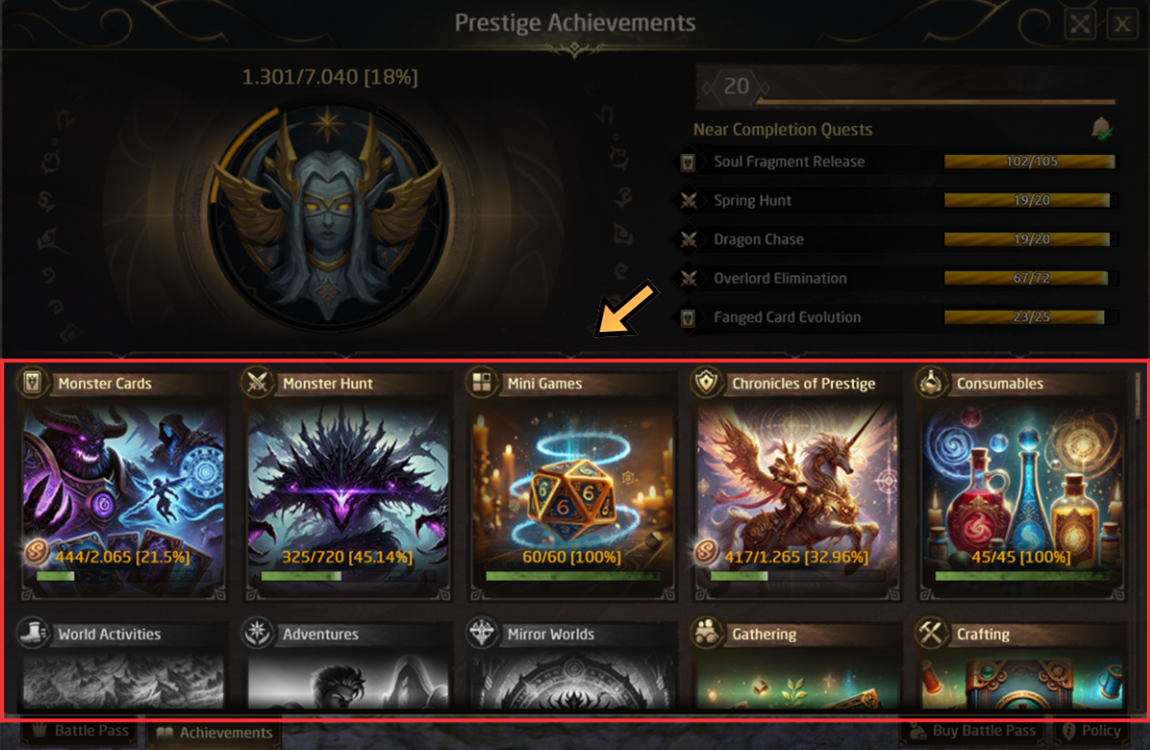
At the top of the Achievements window, you can see:
- ⭐ Your overall Achievement progress
- 🏅 Your current Prestige Level
- 🎯 Several Achievements that are close to completion
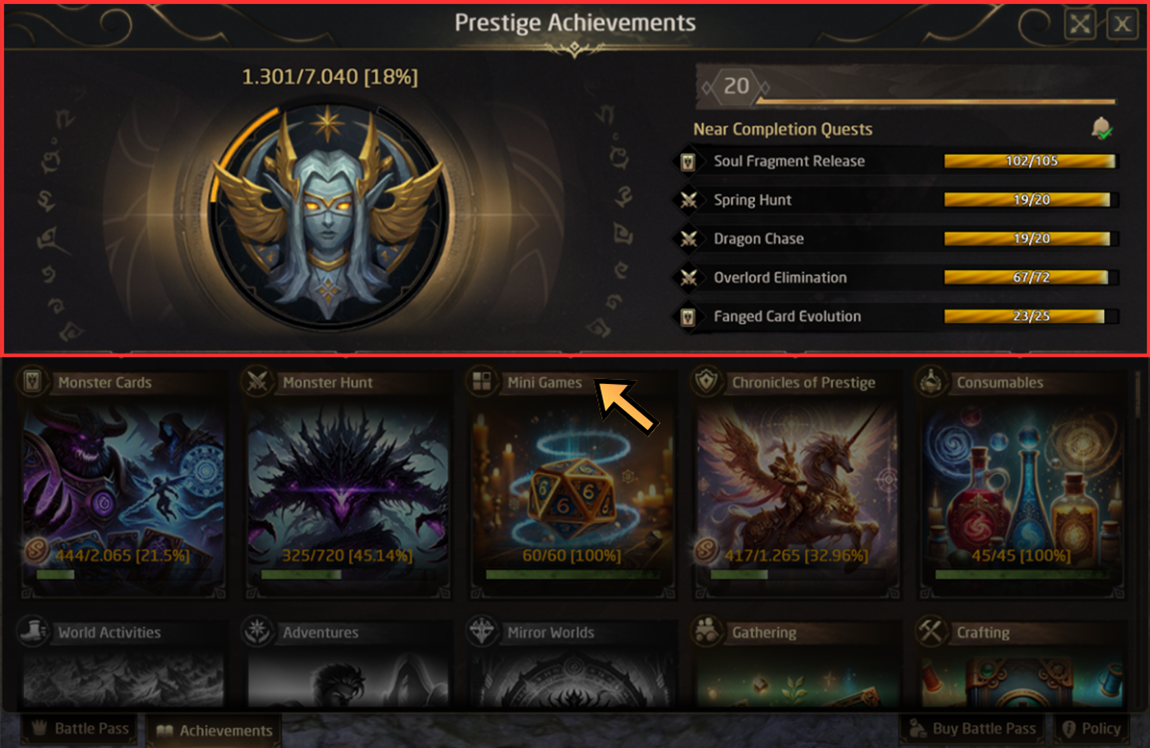
At the bottom of the window, you can see all main Achievement Categories.
Highlighted categories are currently available. Categories that are not yet active will become available in future Prestige seasons.
For each category, you can also see:
- ✅ The number of completed Achievements
- 📋 The total number of Achievements
- 📊 Your completion percentage
📂 Achievement Categories
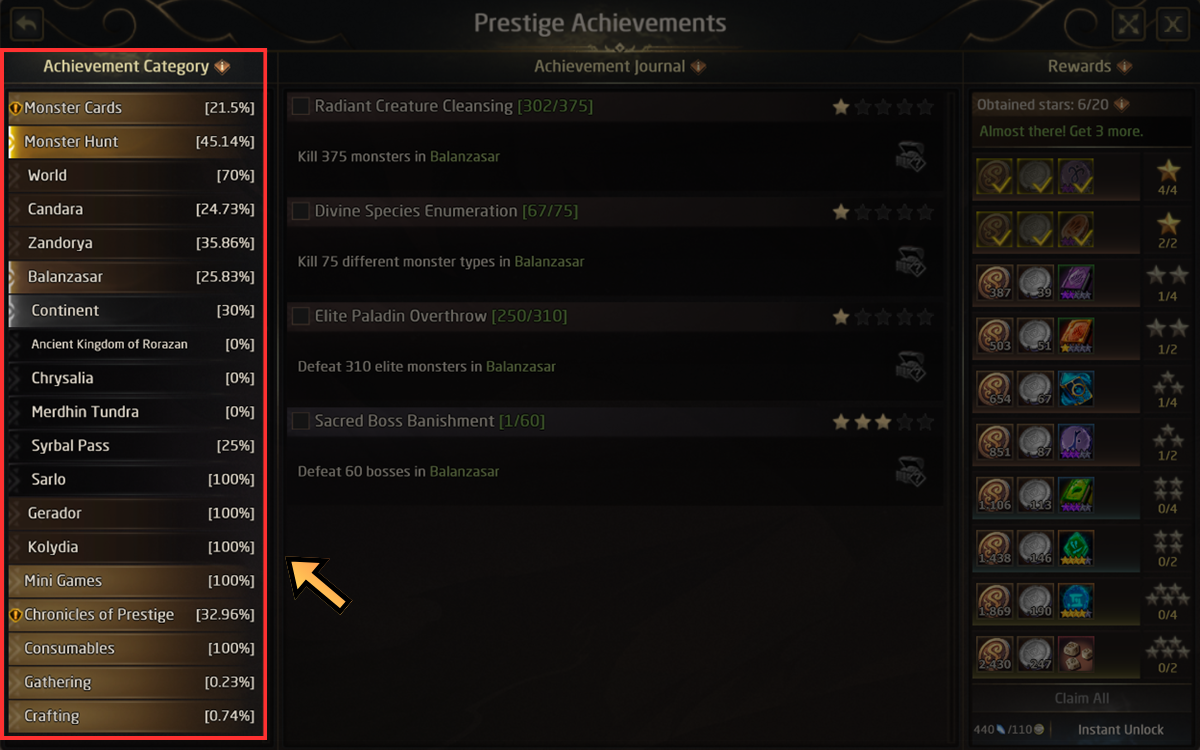
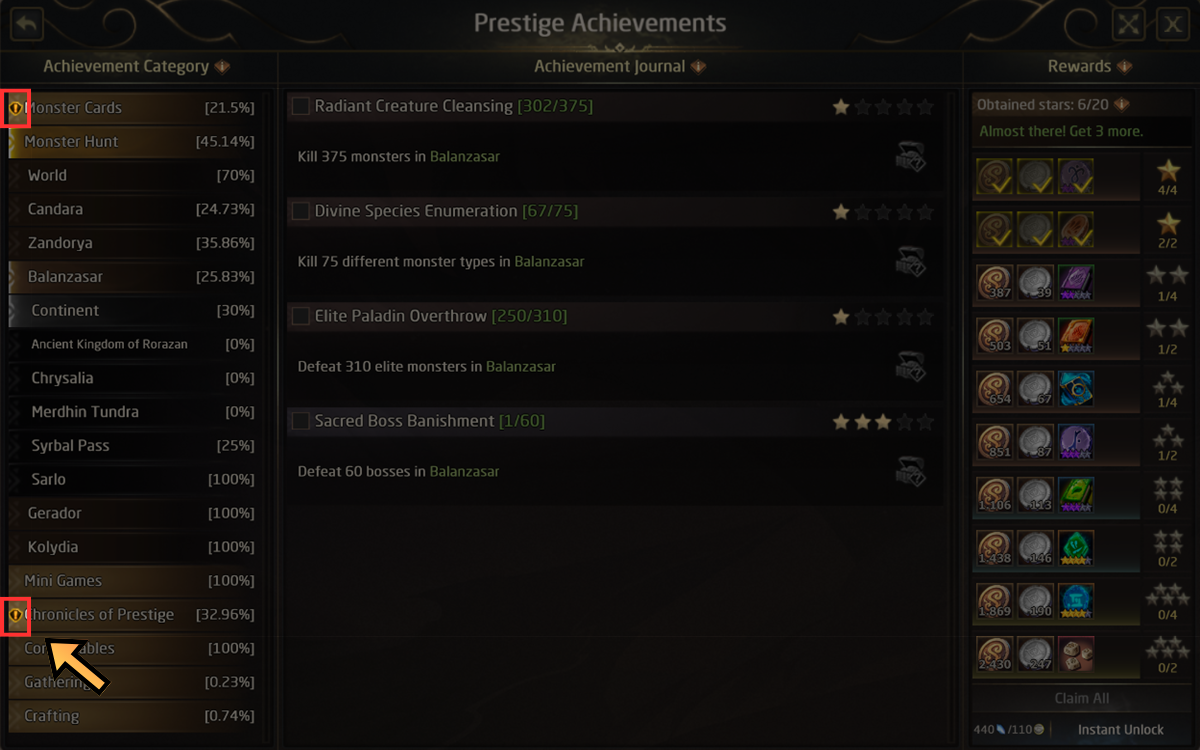
Clicking on a main category opens a more detailed Achievement window.
Each main category can contain several subcategories.
For example, Monster Hunt can be divided into:
- 🌍 World
- 🗺️ Continents
- 📍 Individual zones
You can navigate between the available categories and subcategories using the menu on the left side of the window.
⭐ Achievement Stages
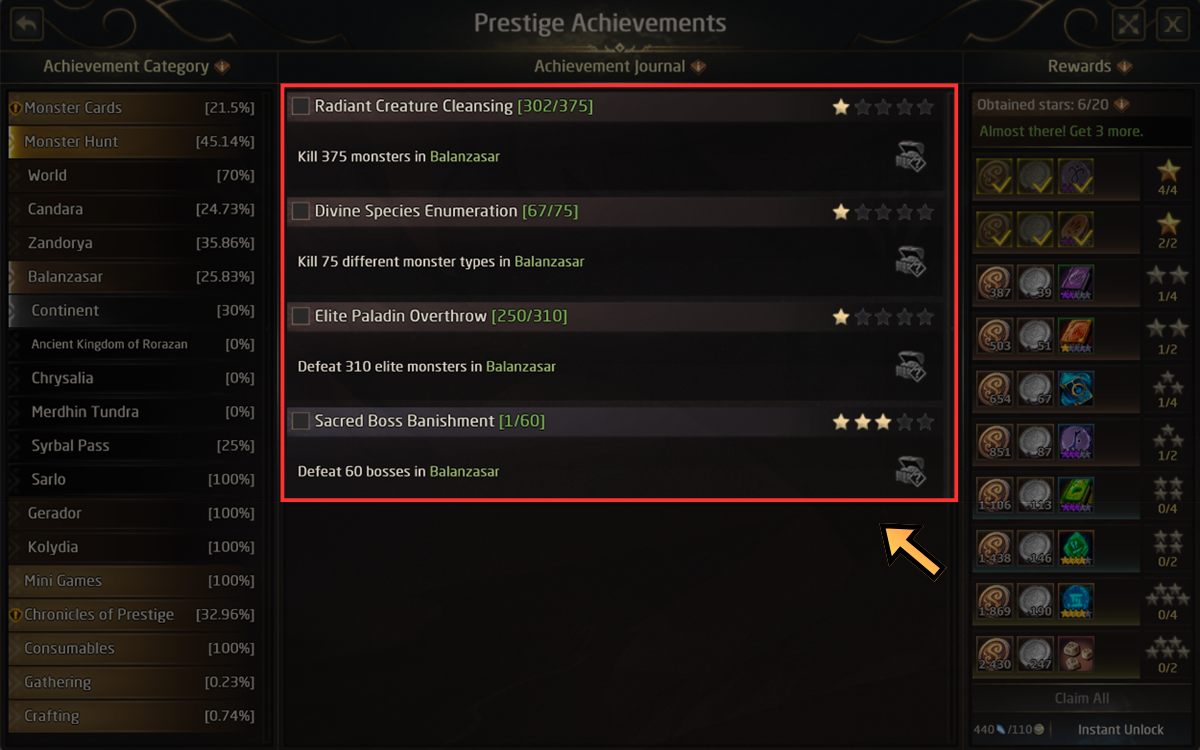
Each subcategory contains a list of related Achievements.
Every Achievement has up to 5 stages, represented by stars.
For each Achievement, the window shows:
- ⭐ Your current Achievement stage
- 📊 Your progress toward the next stage
- 📝 A short description of the required objective
🎯 Completing Achievements
Achievement progress is normally increased automatically by completing the required activities.
Depending on the Achievement, this can include actions such as:
- ⚔️ Defeating monsters
- 🗺️ Defeating monsters in specific zones
- 🔨 Crafting certain items
- 🃏 Collecting Monster Cards
- 🎮 Completing other activities related to the Achievement category
You do not need to manually activate these Achievements before progressing them.
💎 Auto-Completing Achievement Stars
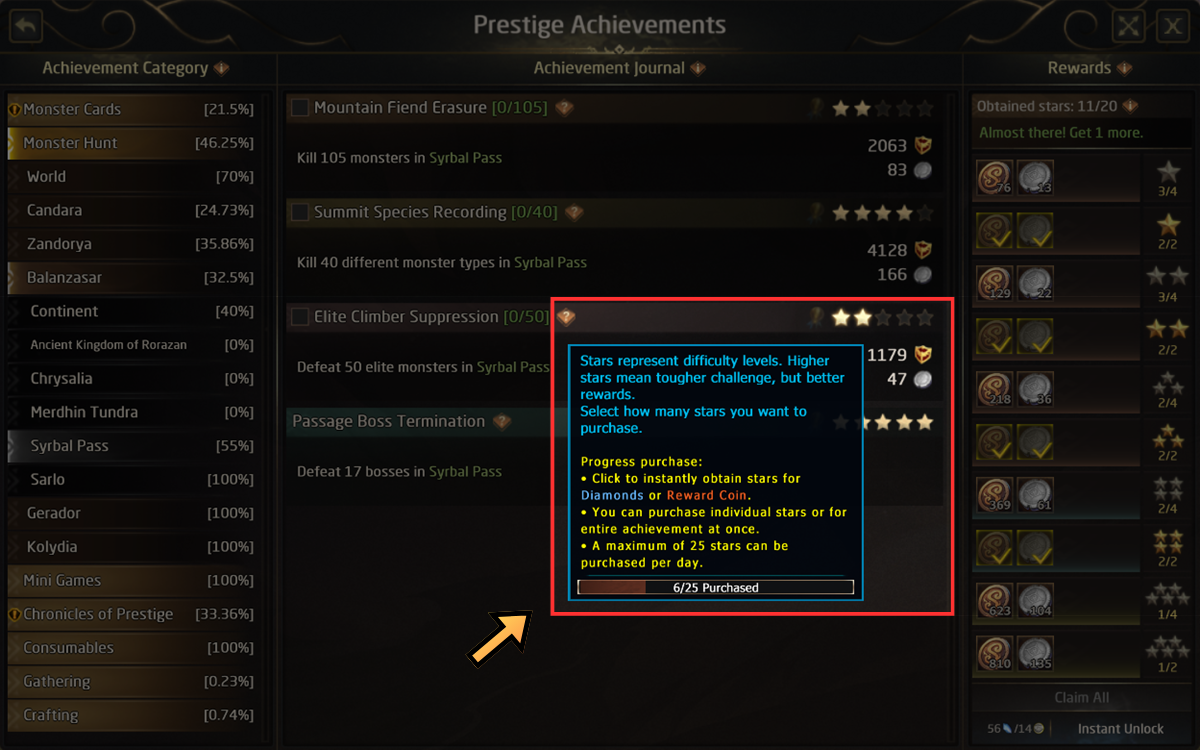
Some Achievements can also be progressed instantly by spending Diamonds or Reward Coins.
This option is only available for non-passive Achievements.
Passive Achievements, which gain progress from other Achievements or subcategories, cannot be completed by spending currency.
The entire Chronicles of Prestige main category is also excluded from this feature.
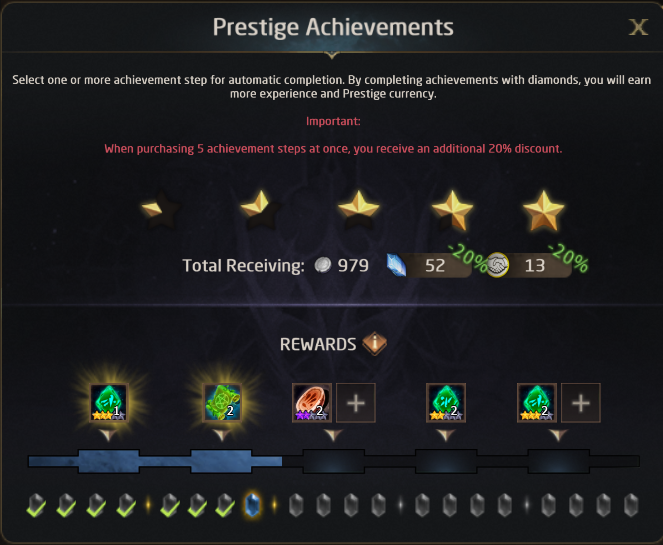
To purchase Achievement progress:
- Select how many ⭐ stars you want to complete.
- Confirm your selection.
- A window will display the required cost.
- Complete the purchase to unlock the selected Achievement stages.
You can purchase up to 25 Achievement stars per day.
Tip: Purchasing 5 Achievement stages at once gives a 20% discount.
🎁 Additional Purchase Rewards
Spending currency to auto-complete Achievement stages can also unlock additional rewards based on the amount of currency spent.
The maximum amount of rewards available depends on your current Prestige Level.
This works similarly to the additional rewards available when purchasing:
- ⚡ Prestige Boosts
- 📈 Prestige Experience
- 🪙 Courage Coins
💡 Achievement Tips
- ⭐ Try to complete all Achievements within a category at the same star level. This makes it easier to reach the cumulative reward requirements.
- 📚 Categories with many Achievements usually provide smaller individual rewards but better cumulative rewards.
- 🎯 Categories with fewer Achievements generally provide stronger individual rewards but fewer cumulative opportunities.
🎁 Claiming Achievement Rewards
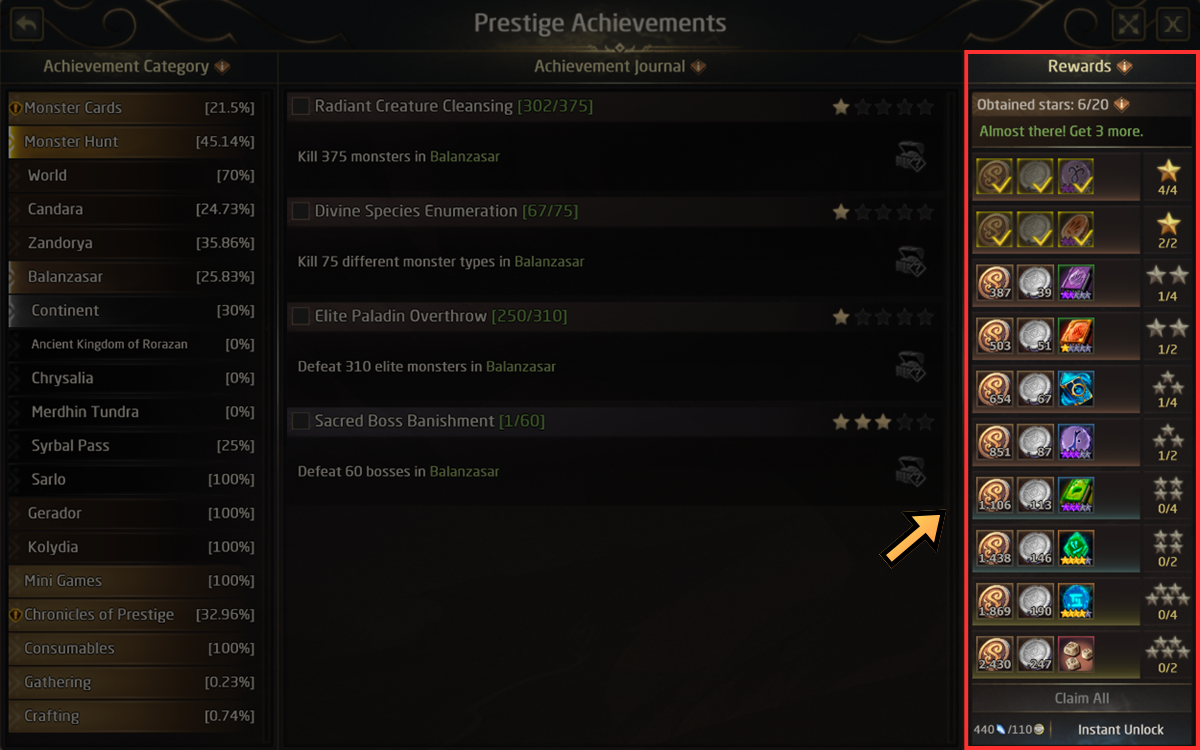
Completing Achievement stages unlocks rewards displayed on the right side of the Achievement window.
Press Claim All to collect all currently available rewards.
Hover your cursor over the ⭐ star icons to see the requirements for each reward.
Important: Available rewards depend on your current Prestige Pass. Hover over the information icon next to Rewards to see which rewards are available for your pass.
⚡ Instantly Unlocking Rewards
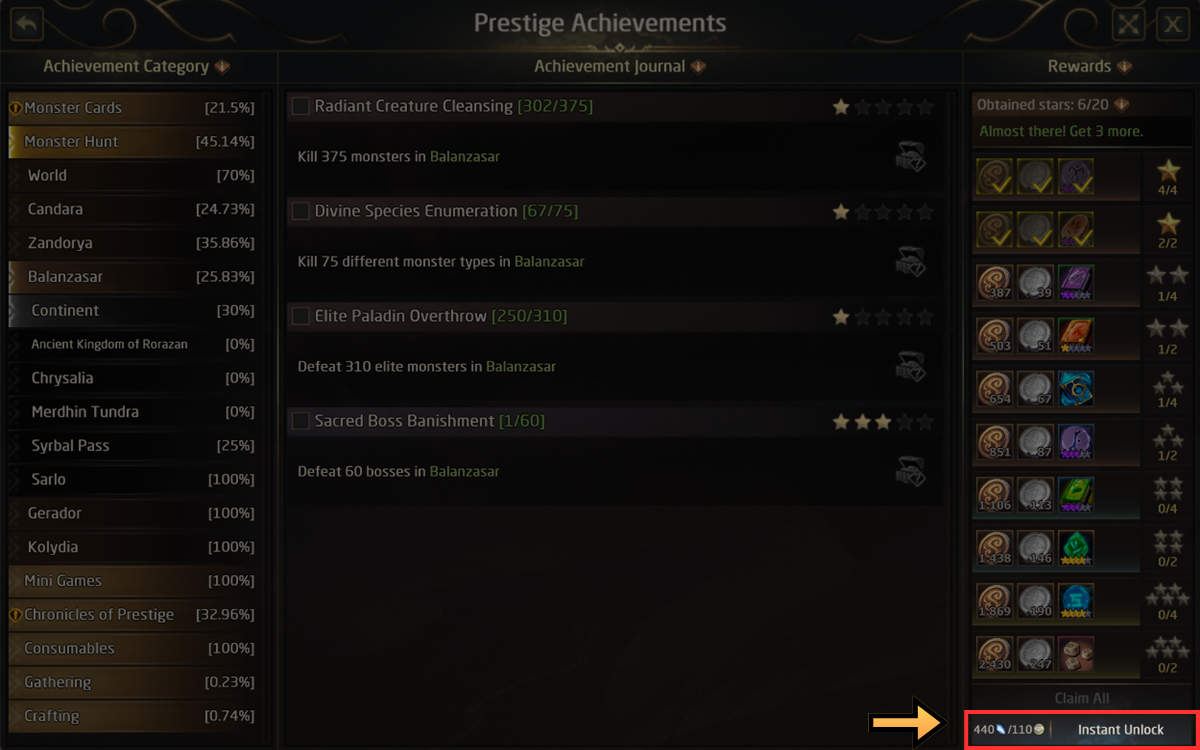
Achievement rewards can also be unlocked without completing the related Achievement stages.
Click the instant reward unlock button at the bottom-right of the window to purchase access to the rewards.
Important: Instantly unlocking the rewards does not complete the related Achievement stars. Your Achievement progress remains unchanged.
You can make up to 5 instant reward purchases per day.
🔔 Available Rewards
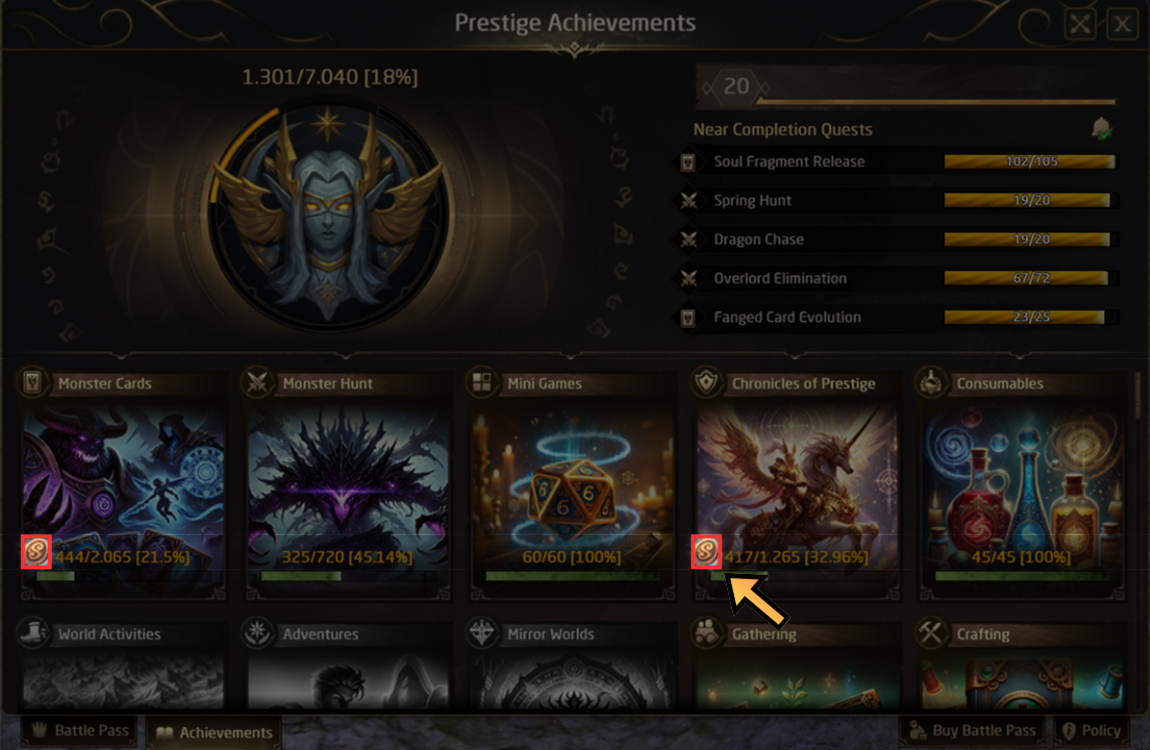
You can quickly check whether you have unclaimed Achievement rewards from either:
- 🏠 The Prestige Achievements main page
- 📂 The detailed Achievement category window
When a reward is ready to collect, the corresponding icon will be highlighted.
 |
 |