











Pet Interface & Management Revision: August 4, 2026
The pet system in Chronicles of Arcadia offers a range of tools to help you manage your companions, from interface functions and naming to obtaining and hatching your first pet. This guide walks you through every key part of interacting with your pets in-game.
🎛️ The Pet Interface
The pet interface consists of two independently movable windows with several interactive tabs and controls.
🖥️ Interface Basics
| Feature | Description | |
|---|---|---|
| Two-Sided Layout | Left and right sides move independently. Right panel can be hidden or layered. |
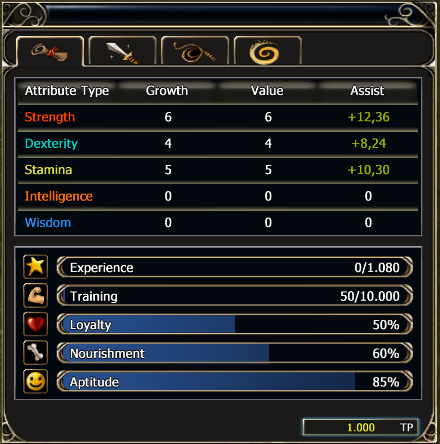 |
| Session Memory | The pet interface layout (such as window positions) will stay how you arranged it while you are logged in, but will reset to the default layout when you log out or close the game. | |
| Element & Level Display | Shows the element and level of your active pet. |
 |
| Breeding Slots | First 3 slots are active. Yellow border = active pet. |
 |
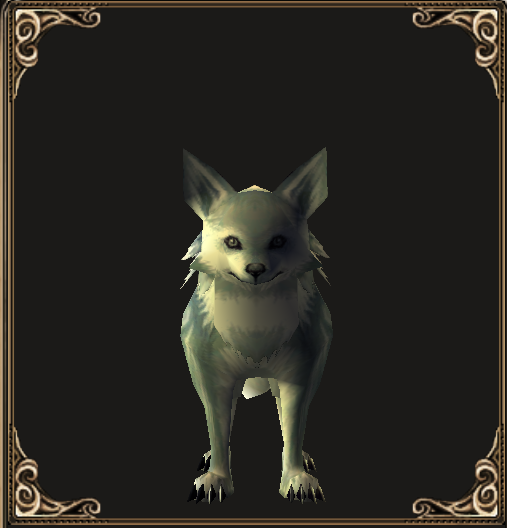
| Pet Preview | Zoom and rotate your pet model in the preview window. |
 |
🧾 Naming & Summoning
| Control | Function | |
|---|---|---|
| ✏️ Name Field | Names must be 4–16 characters. No spaces or special symbols. Only editable when the pet is packed. |
 |
| 🧲 Summon Button | Calls your pet to your side. |
 |
| 🛑 Recall Button | Sends your pet back to its slot. |
 |
| 🍗 Feed Button | Opens the feeding window. |
 |
| ❌ Release Button | Releases the pet forever. This action is irreversible and requires confirmation. |
 |
📂 Interface Tabs
| Tab | Function | |
|---|---|---|
| 📝 Info | General stats and details |
 |
| 🧬 Skills | Shows passive and active skills |
 |
| ⛏️ Gathering | Used for material collection and crafting training |
 |
| 🔁 Fusion | Access the pet merging system (covered in Training & Leveling guide) |
 |
🐣 How to Get Your First Pet
There are several ways to obtain a pet, each with its own difficulty and cost.
🗺️ 1. Companion Hunting
Talk to a Companion Hunter NPC to buy traps and bait. Recommended for new players.
🧭 Companion Hunter Locations:
| Region | NPC Name | Coordinates |
|---|---|---|
| Logar / Howling Mountains | [Matt Sorrun] | [49.2 / 41.0] |
| Valley of Preparation | [Hammur Sorrun] | [57.5 / 59.3] |
| Varanas (Silverwell) | [Cruise Sorrun] | [45.4 / 27.6] |
| Silverfall / Aslan Valley | [Dier Sorrun] | [56.4 / 66.2] |
| Obsidian Stronghold | [Kelt Sorrun] | [44.2 / 86.1] |
🤝 2. Trading or Player Exchange
Buy, sell, or trade pets with other players. This is often faster but can be expensive, especially for rare elements and qualities.
🏦 3. Auction House Purchase
Use the Auction House to buy specific pet types, elements, or high-quality eggs.
🐐 The Practice Hunt at Miller Ranch
A beginner-friendly hunting quest that introduces you to pet collection.
📜 Step-by-Step Guide:

- Start the Quest: Talk to Pykesile (by the donkey) at Miller Ranch.
- Set the Bait: Use the turkey bait on the tree stump.
- Defeat the Wolf: A wolf will appear - defeat it to spawn the Magical Cavy.
- Catch the Cavy: Lead the Cavy into your trap.
- Cavies flee in straight lines.
- They stop, look, and may reroute if you're too close.
- They can climb terrain.
- Capture and Claim: Once trapped, click it to receive a pet egg.
- Repeat Attempts: You can repeat the hunt, but it will cost gold after the first time.
- Hatch the Egg:
- Open the Pet Interface.
- Right-click the egg in your inventory → left-click a breeding slot.
- Pet Care Tip: Once hatched, the pet cannot be returned to egg form. Releasing it removes it permanently.
ℹ️ Full quest details are available on the Miller Ranch page.
🧭 Finding a Specific Pet Type
Looking for a particular element or breed? You have two options:
🏪 Auction House
Check for pets with your desired:
- Element (e.g., Light, Fire)
- Breed or appearance
- Egg quality (Holy, Magical, etc.)
This is the quickest but costliest option.
🌍 Farming in the Wild
Hunt Cavies in areas known to drop specific egg types. This method is:
- Free (besides travel and traps)
- Time-consuming
- Luck-based, but rewarding for collectors